TransformJ: Crop
General Description
This plugin crops images to specified ranges.
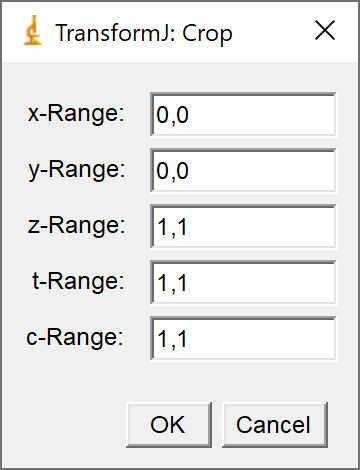
Dialog Description
x-Range
The crop range in the x-dimension (specified in pixels).
y-Range
The crop range in the y-dimension (specified in pixels).
z-Range
The crop range in the z-dimension (specified as slice indices).
t-Range
The crop range in the t-dimension (specified as frame indices).
c-Range
The crop range in the c-dimension (specified as channel indices).
In all cases the numbers separated by the comma are, respectively, the first and the last element to be included. The plugin adheres to the indexing convention used in ImageJ. That is, indices start at 0 in the x- and y-dimension, but at 1 in the higher dimensions. If a region of interest was selected for the image prior to opening the dialog, its bounding rectangle is used to preset the fields. If there is no region of interest, the dialog uses the most recently entered values.
